Doing that by hand in a slicer meant redoing the layout every time and getting it slightly wrong every time.
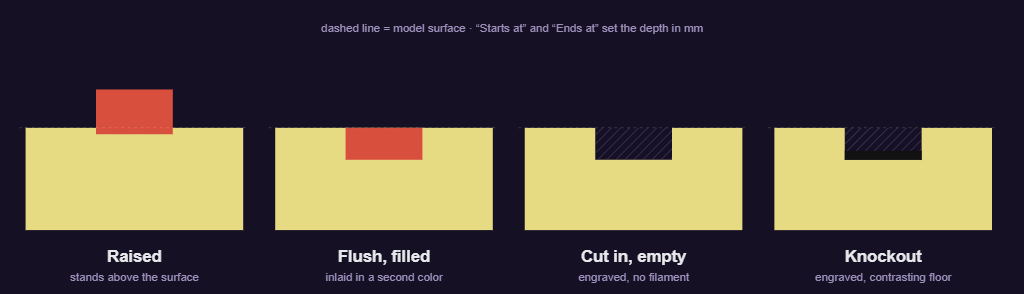
Stamp is the fix. Open a model, add a logo and a couple of lines of text, choose how it meets the surface. Raised stands proud. Flush sits inlaid in a second color. Cut in engraves with nothing in the hole. Knockout engraves and prints a dark floor at the bottom so the letters read from across the room. Set the depth in millimetres, align it to a side the way you’d align a text box, fit it to a margin, and it stays consistent from label to label.
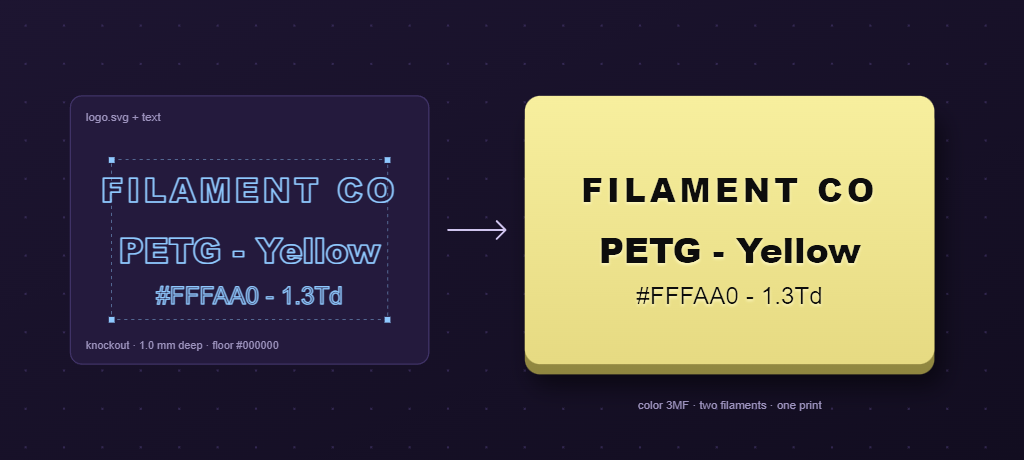
It exports a color 3MF with each color mapped to a filament slot and the engraving written as a negative volume, so Bambu Studio opens it with the parts already assigned.
One HTML file. No account, no upload. Your models don’t leave the browser.